

Organizations
This feature enables seamless collaboration across different teams and projects while maintaining control over access and policies.
Creating a New Organization
.gif)
If you need to create a new organization:
Step 1
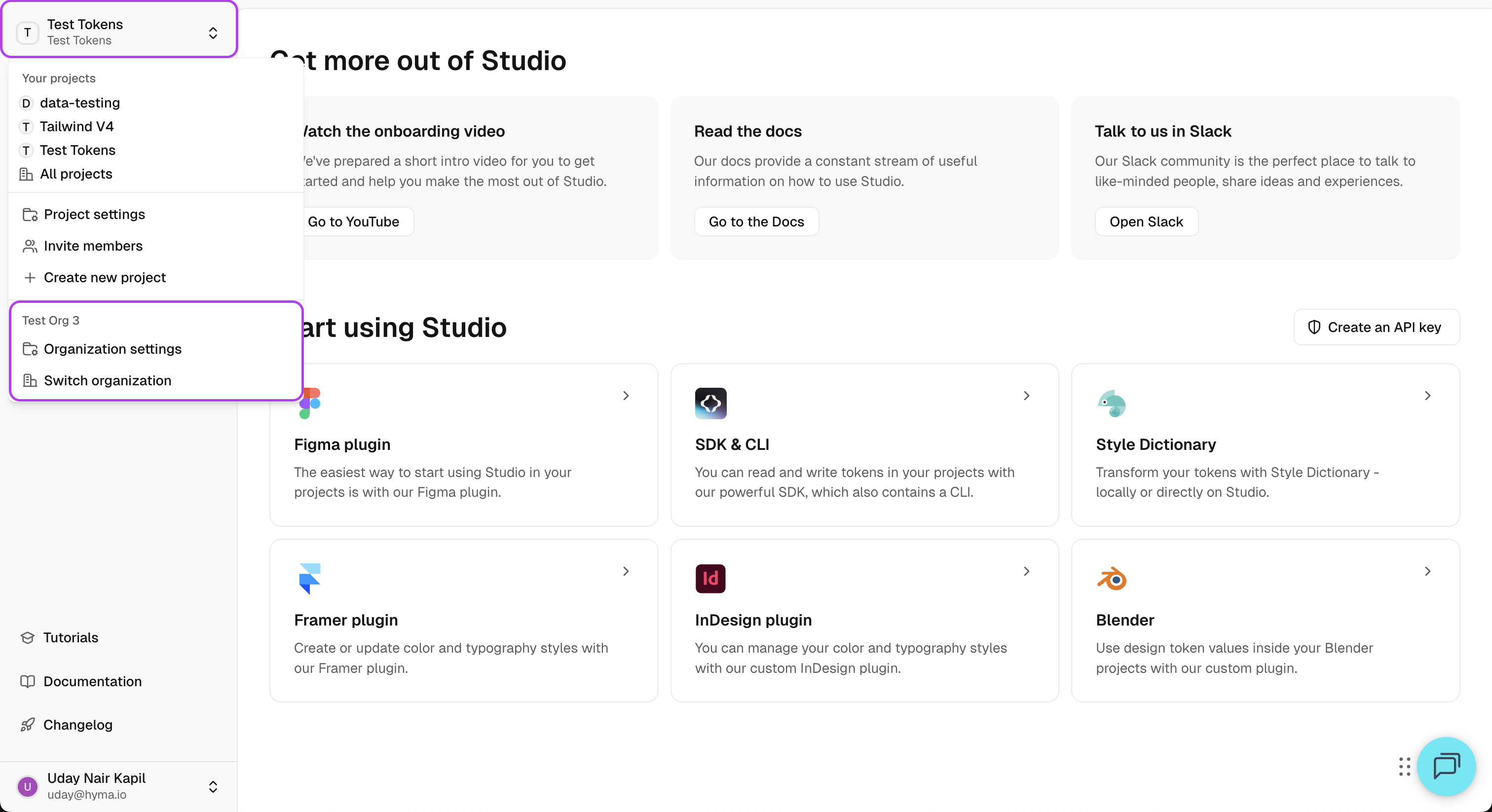
Click the name of the current organization on the top-left panel to open the context menu.
Step 2
Click Switch Organization to navigate to the Create a New Organization form.
Step 3
Click on Create Organization to open the create form.
You'll be asked to provide a name for the organization, and a website which is optional.
Step 4
After creating the organization, you will be directed to set up your first project within it.
Accessing Organizations
Managing Organizations
- Click the name of the current organization on the top-left panel to open the context menu.
- At the bottom of the dropdown, you will see:
- Organization Settings – to manage settings and policies.
- Switch Organization – to move between different organizations.
Organization Settings
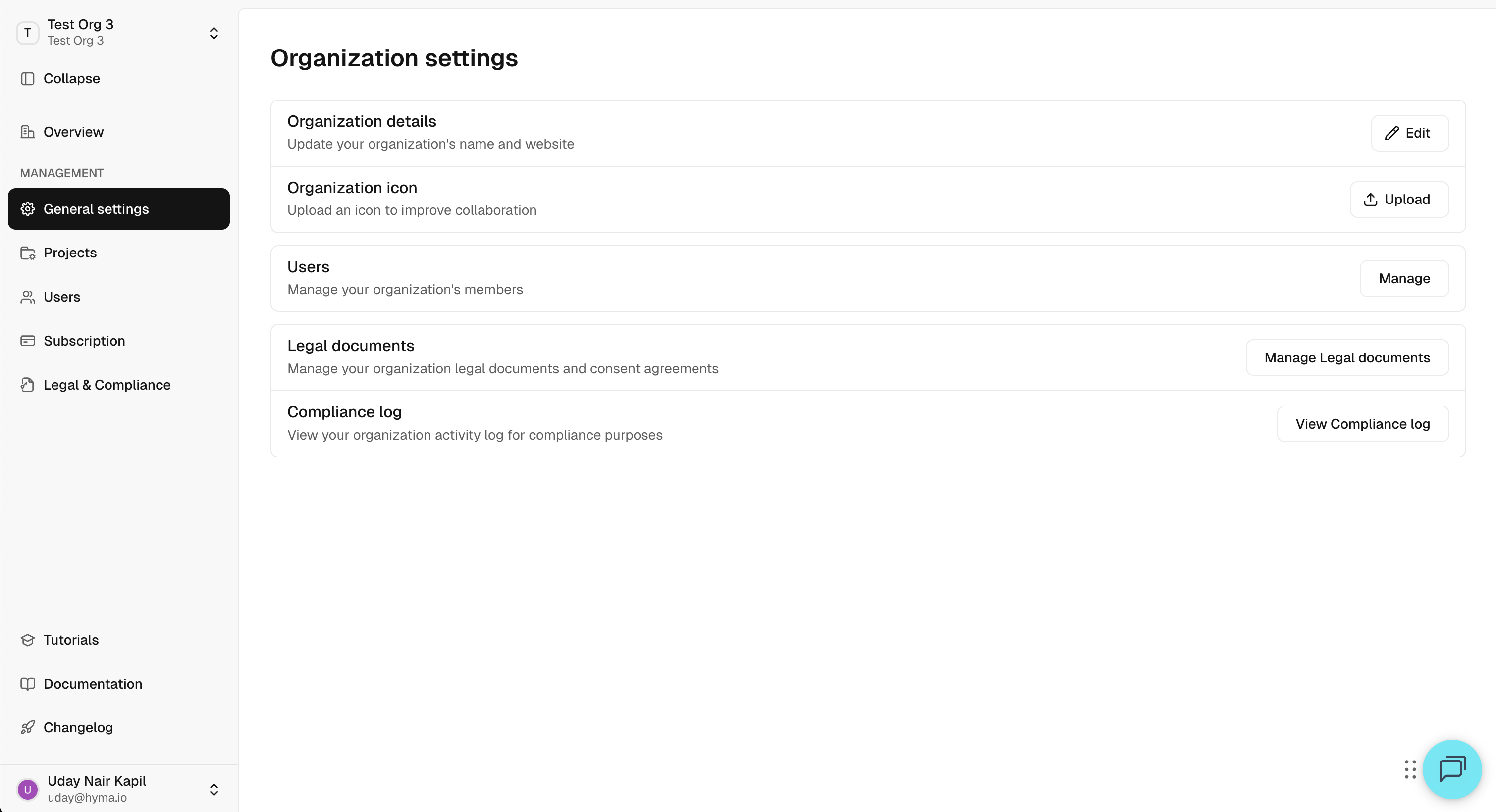
The Organization Settings page provides an overview of your organization and various management options:
- Organization Details – Update your organization's name and website
- Organization Icon - Change the icon for your organization that is displayed throughout Token Studio
- Users & Groups – View active users, manage invitations, and organize users into groups.
- Legal Documents - Manage your organization legal documents and consent agreements
- Compliance Log – View your organization activity log for compliance purposes
Managing Users
.png)
The Users tab provides a list of active users and pending invitations.
- To invite a new user:
- Click Invite Users.
- Enter the user's email.
- Select the appropriate group for the user.
- Click Send Invite.
- You can also see pending invitations and resend them if needed.
Switching Between Organizations
.gif)
To switch between organizations:
- Open the organization dropdown at the top of the left panel.
- Click Switch Organization.
- A list of all the organizations you are part of will appear.
- Click on an organization to switch to it.