

Creating a Graph Based Set
In Studio, you can create different types of sets to manage your design tokens effectively. This guide walks you through the process of creating a graph-based set.
Step 1: Navigate to the Tokens Module
- Open Studio.
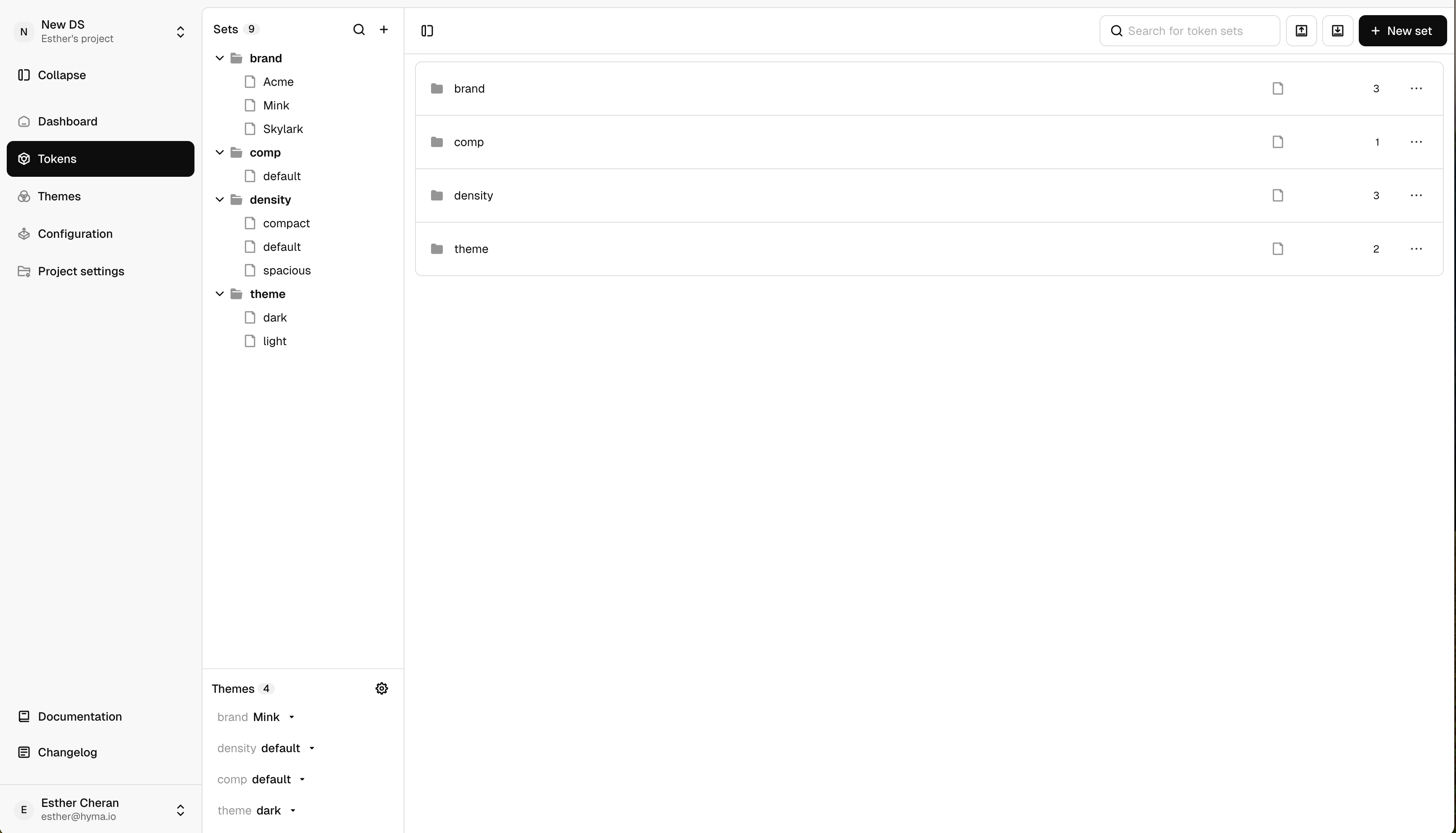
- In the left panel, click on the Tokens module.
Step 2: Access the Sets Panel
- Here, you will see the existing token sets in your project.
- Click on Create New Set.
Step 3: Choose the Set Type
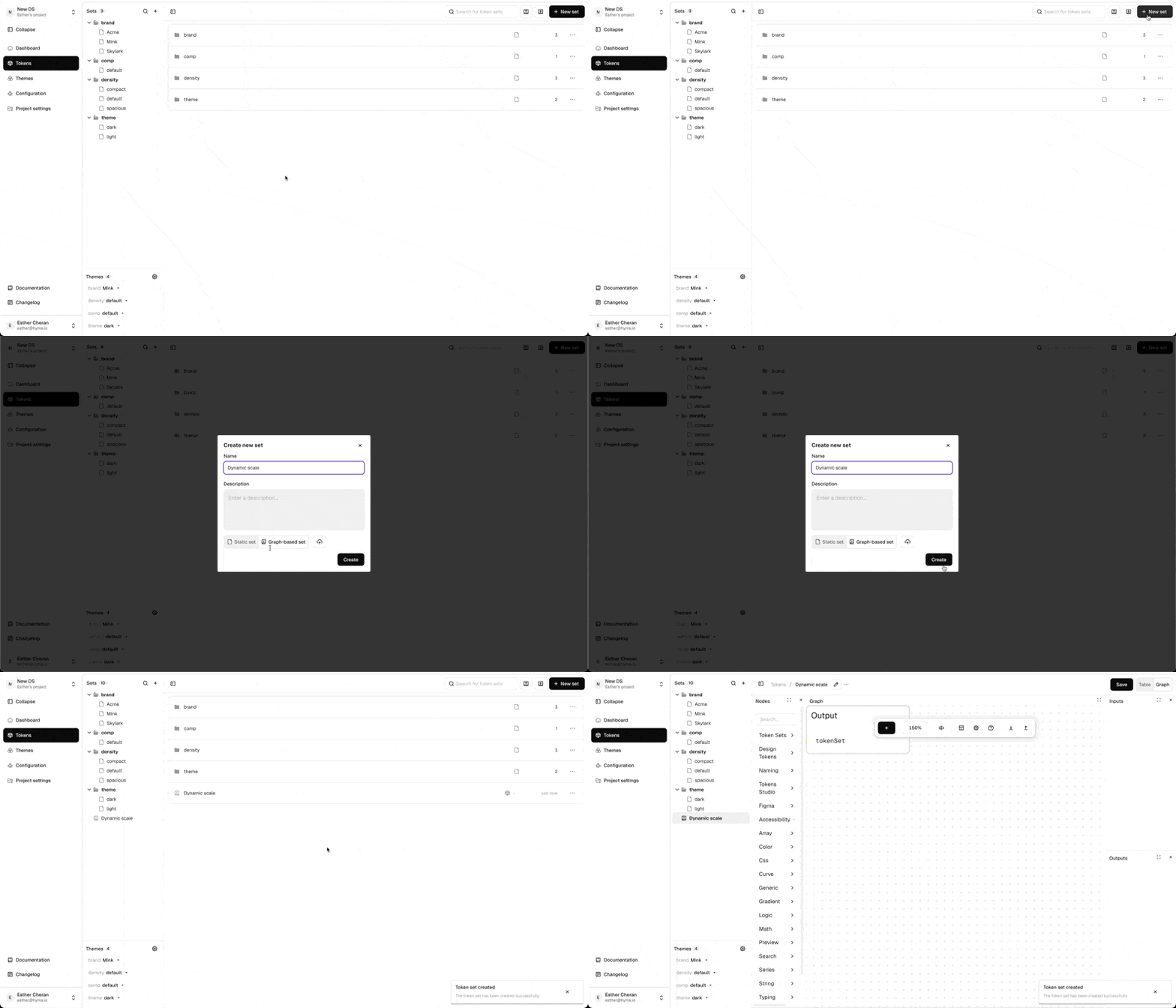
- A dialog will appear, prompting you to choose between:
- Static Set(manually managed tokens).
- Graph-Based Set (dynamic token relationships using graph logic).
- Select Graph-Based Sets.
Step 4: Configure Your Graph-Based Set
- Enter a Name for the set.
- (Optional) Add a Description to clarify its purpose.
Step 5: Create the Set
- Click Create, and your graph-based set will be generated.
Step 6: Next Steps
- The newly created graph-based set is now available in the UI.
- You can now start defining relationships, nodes, and logic within the graph editor.