

Destructure
What It Does
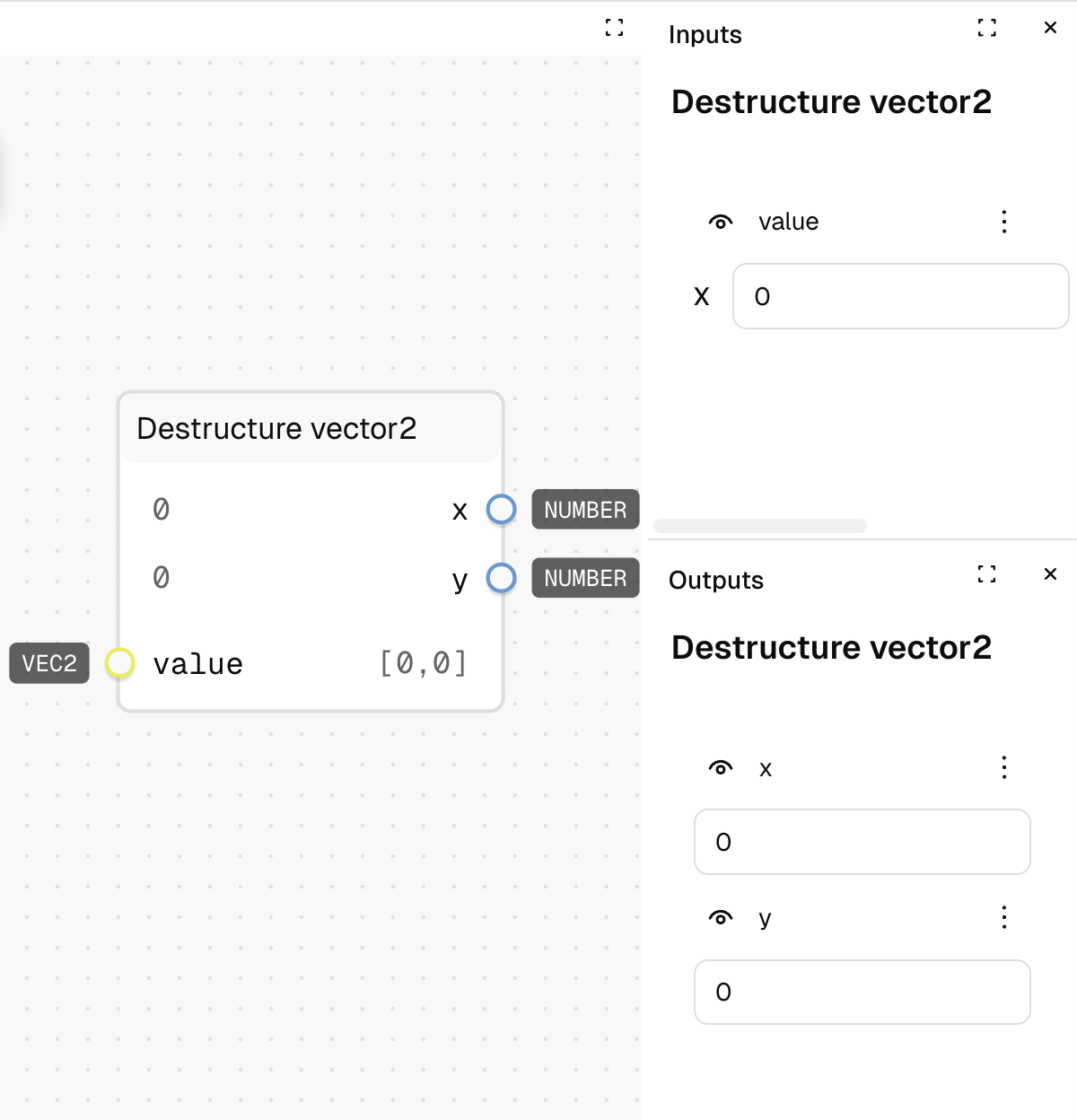
Splits a 2D vector into its individual X and Y components. This allows you to access and use the separate coordinate values of a vector.
Inputs
| Name | Description | Type | Required |
|---|---|---|---|
| value | The vector to destructure | Vector2 | Yes |
Outputs
| Name | Description | Type |
|---|---|---|
| x | The X component of the vector | Number |
| y | The Y component of the vector | Number |
How to Use It
- Drag the Destructure vector2 node into your graph.
- Connect a Vector2 value to the "value" input.
- The node will output the X component to the "x" output and the Y component to the "y" output.
- Connect these outputs to other nodes that require individual number values.
Tips
- This node is useful when you need to perform different operations on each component of a vector.
- Vector2 values are stored as arrays in the format [x, y], so the first value becomes the x output and the second value becomes the y output.
See Also
- Create: For creating a new Vector2 from individual x and y values.
- Add: For vector addition without needing to work with individual components.
Use Cases
- Component Manipulation: Process the X and Y components of a vector separately for different scaling or calculations.
- Layout Calculations: Extract position coordinates to use in spacing or alignment formulas.
- Data Visualization: Break down vector data into components for different visual representations.