

Floor
What It Does
Rounds a number down to the nearest whole integer. This is useful for creating grid-based layouts, calculating complete units, or working with values that must be whole numbers.
Inputs
| Name | Description | Type | Required |
|---|---|---|---|
| value | The number to round down | Number | Yes |
Outputs
| Name | Description | Type |
|---|---|---|
| value | The input number rounded down to the nearest integer | Number |
How to Use It
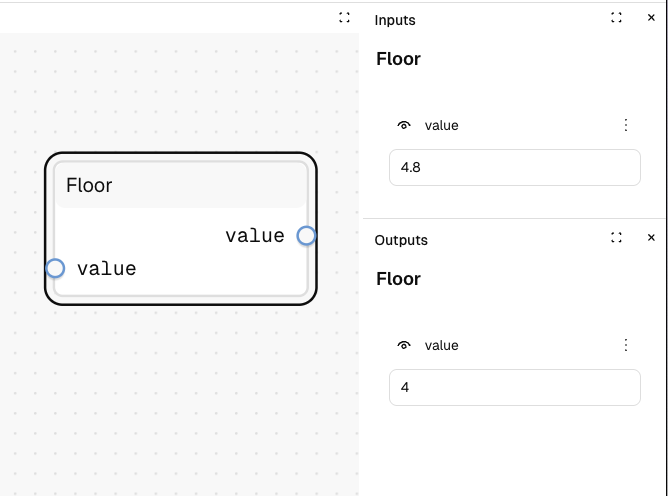
- Drag the Floor node into your graph.
- Connect a number (like
4.8) to the "value" input. - Run the graph—your output will be
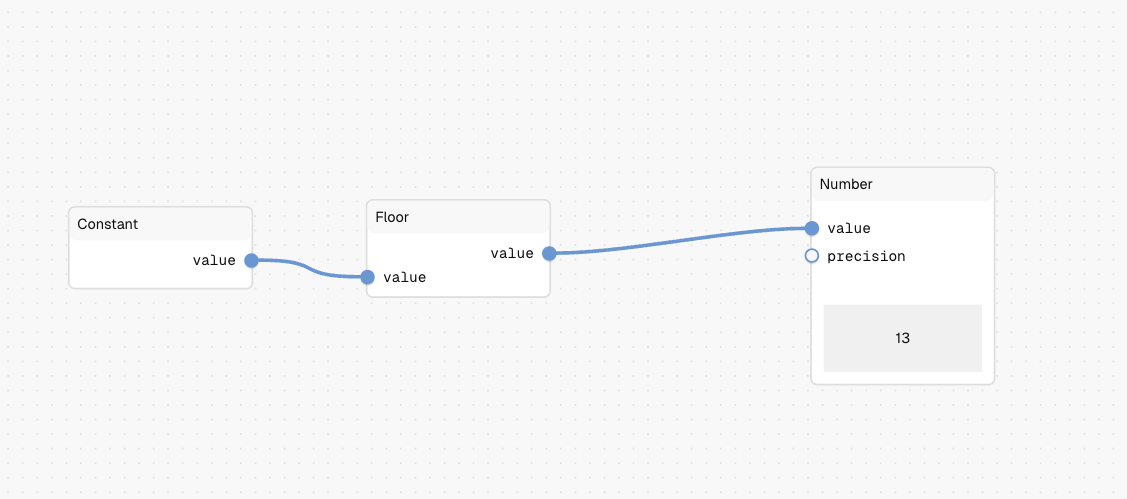
4. - If the input is already a whole number like
13, the output remains the same13.
Tips
- Use floor when you need to count only complete units or ensure you never exceed a maximum.
- Negative numbers are also rounded downward (e.g., -4.3 becomes -5).
See Also
- Ceil: For rounding up to the nearest integer.
- Round: For rounding to the nearest integer (up or down).
Use Cases
- Page Indexing: Calculate the current page number based on item count and items per page.
- Complete Units: Count only complete units (e.g., whole hours passed).
- Max Constraints: Ensure you never exceed a maximum by discarding fractional parts.