Themes
Overview
The Themes Module in Studio allows you to configure and manage Theme groups and Theme options, which directly impact the Tokens Module and Configuration Module. This ensures a structured approach to managing design variations such as light mode, dark mode, or brand-specific themes.
Accessing the Themes Module
Navigate to Themes Module:
- From the left panel, click on Themes to enter the module.
Understanding the Layout:
- The left panel displays a list of existing theme groups and their corresponding theme options.
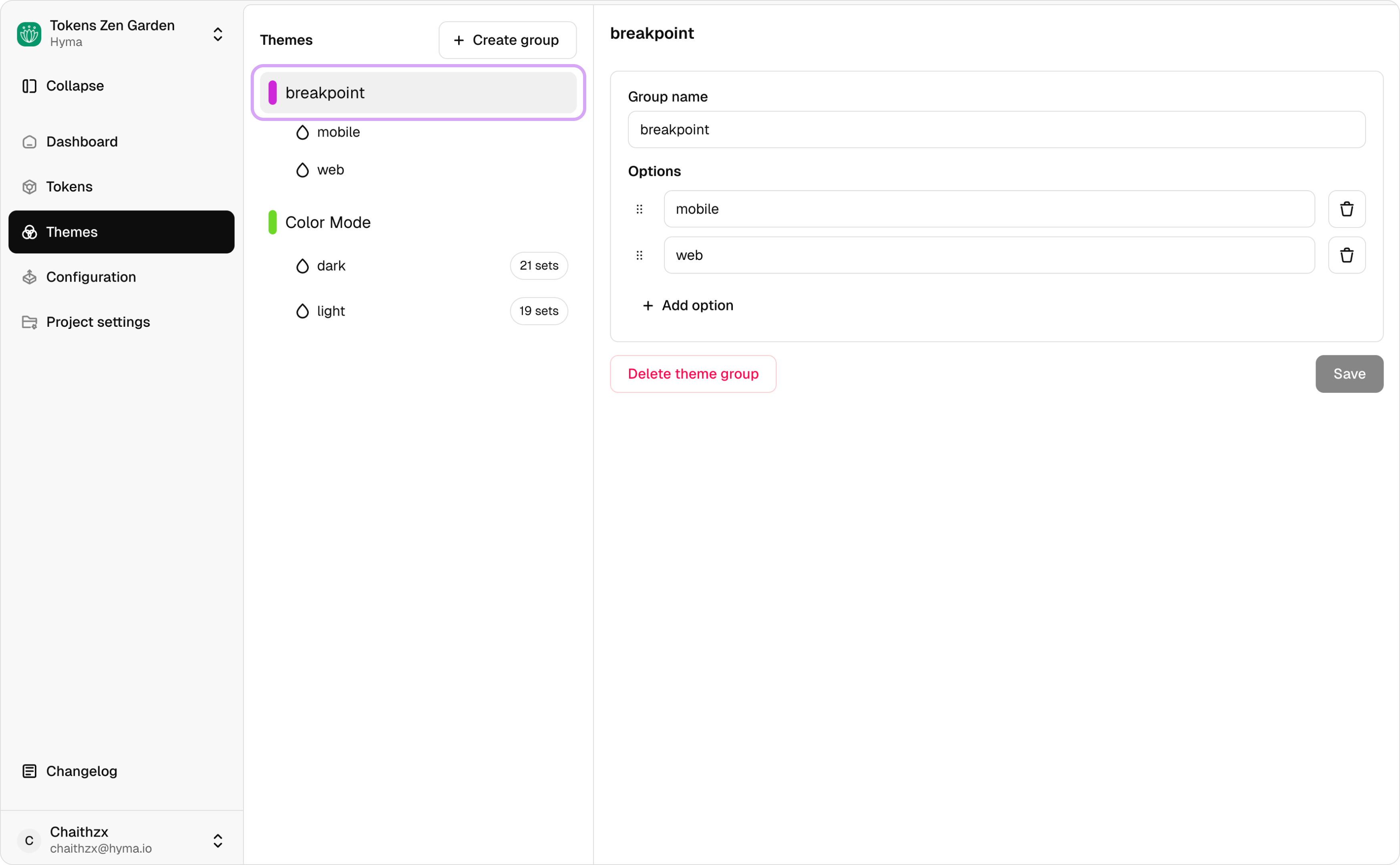
- Each theme option shows:
- Number of token sets configured
- Number of variables connected to the option
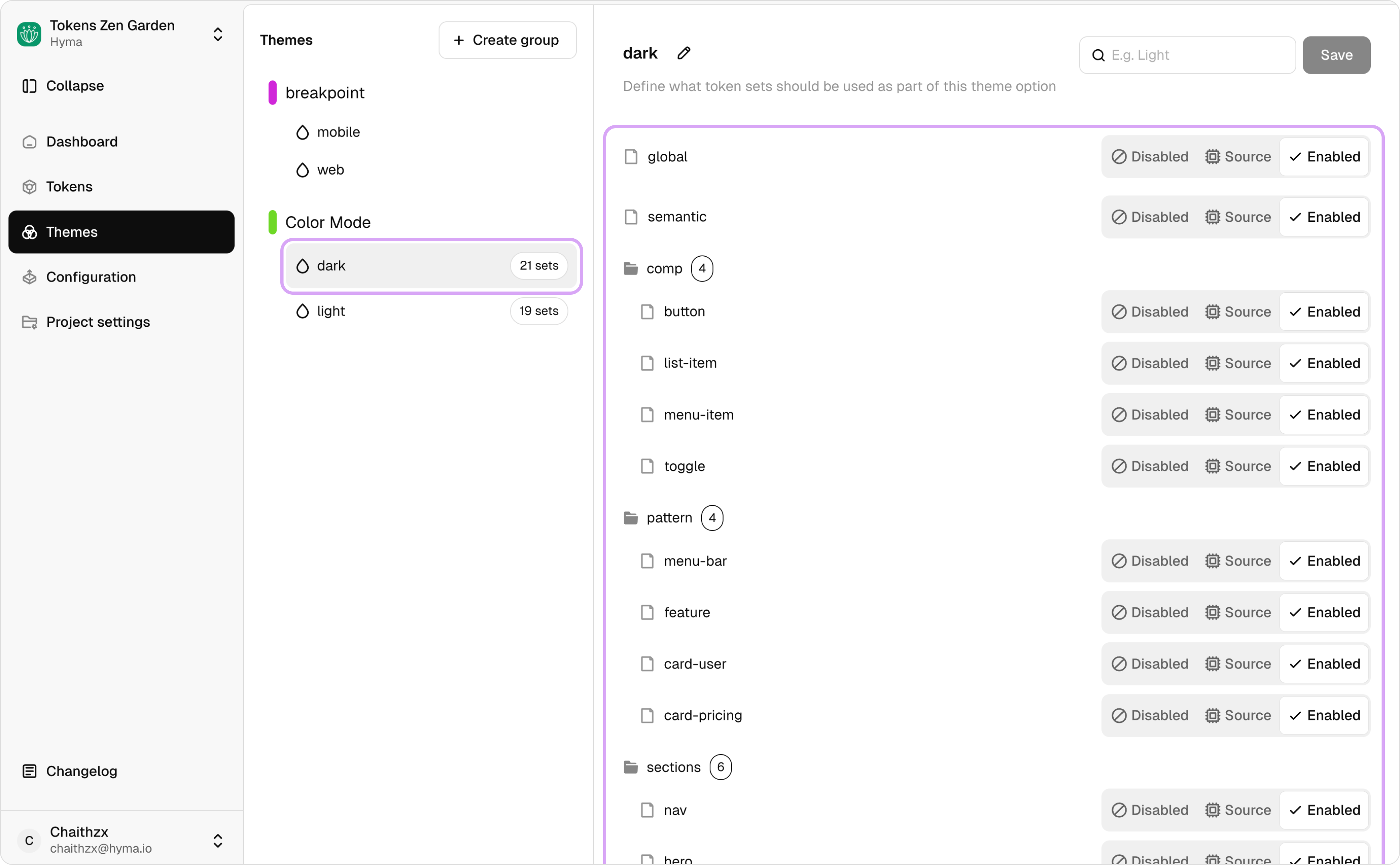
- The left panel displays a list of existing theme groups and their corresponding theme options.
Creating and Managing Theme Groups
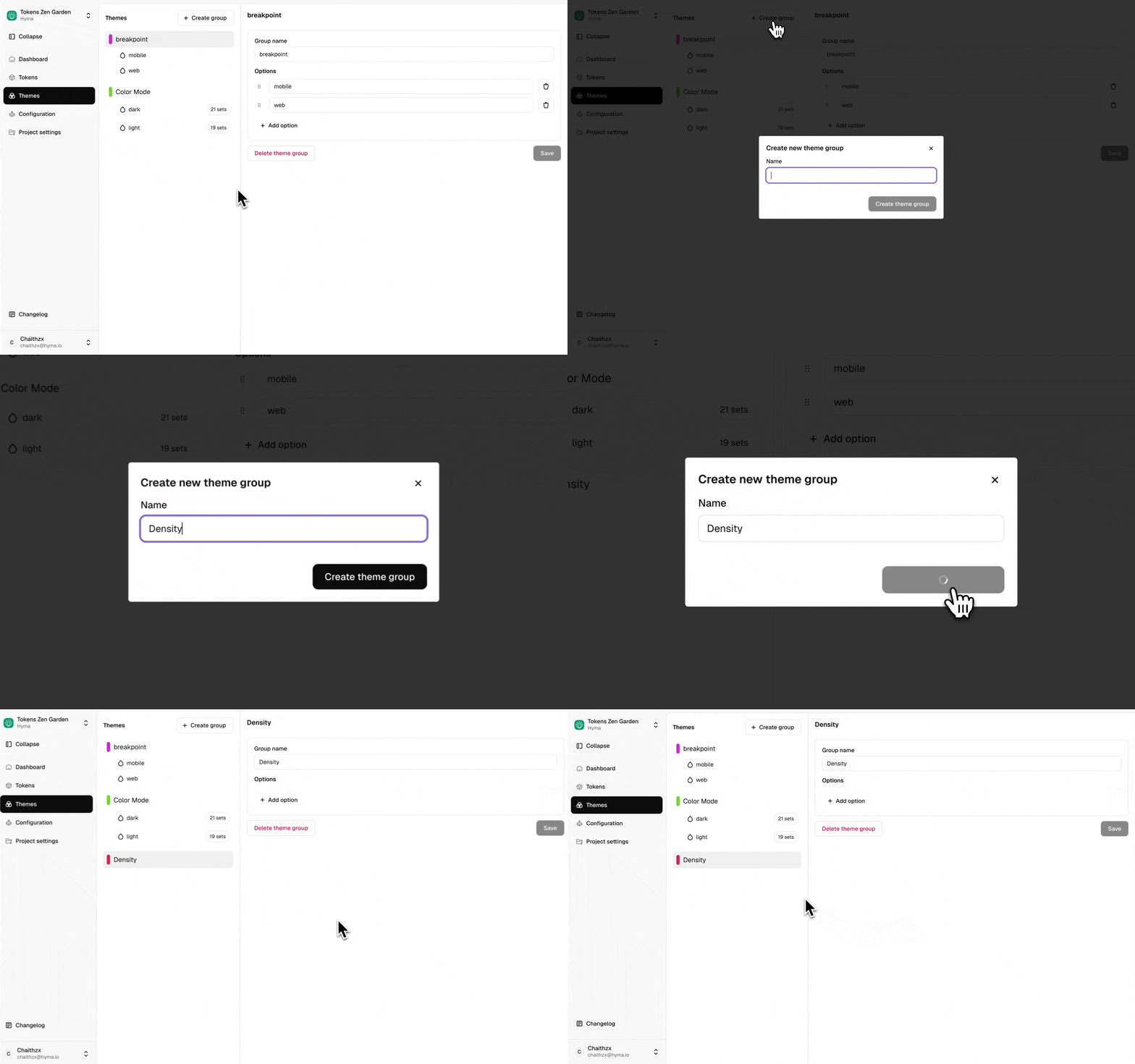
Create a New Theme Group
- Click on Create Group.
- Enter a name for the theme group.
- Click Create to save.
Adding Theme Options
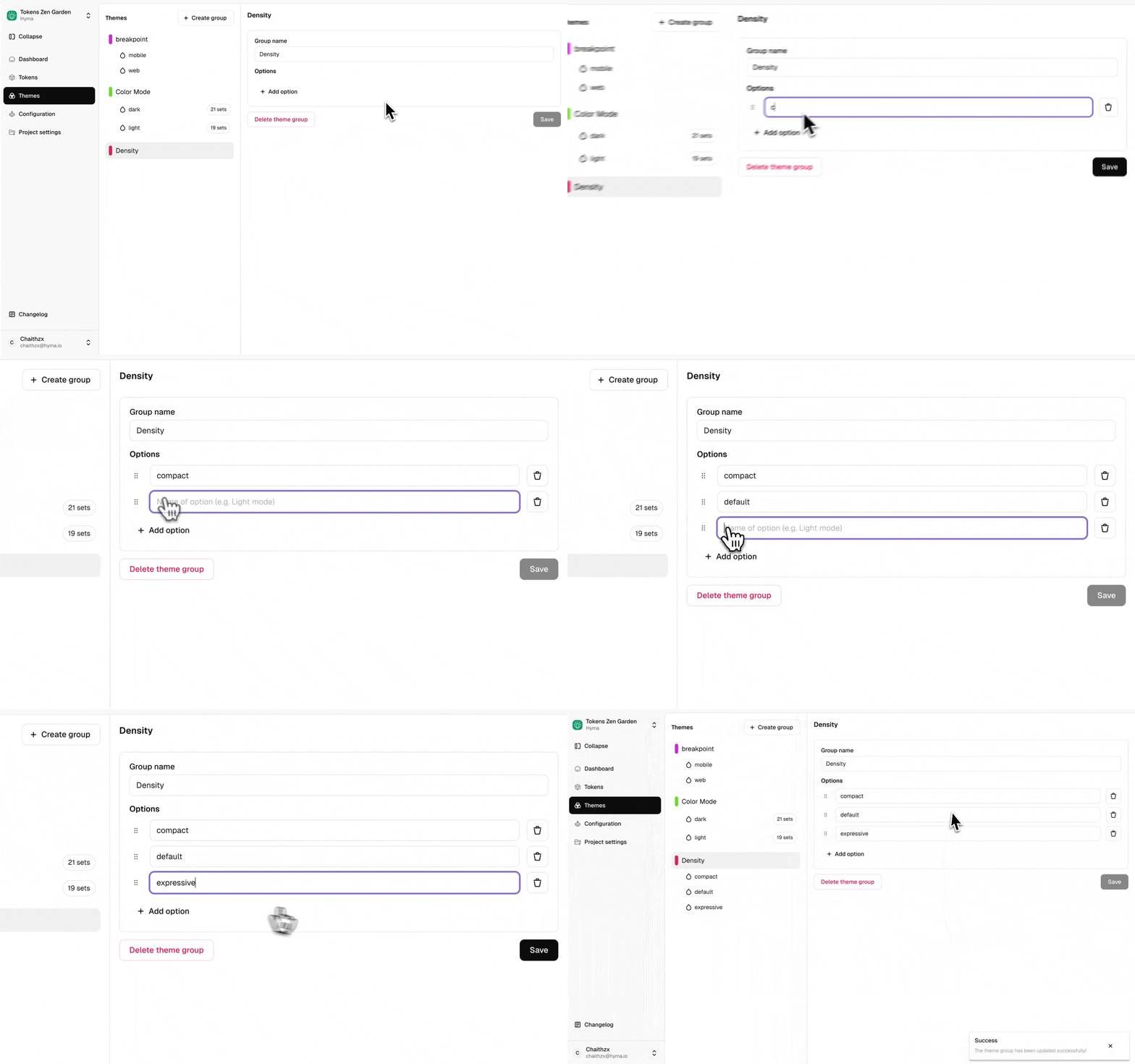
- Select a theme group.
- Click Add Option to create a new theme option.
- Save the changes.
Configuring Token Sets for Theme Options
- Select a Theme Option from the left panel.
- You will see all available token sets.
- Assign token sets using one of the following states:
- Disabled: The token set is not included in the theme option.
- Enabled: All tokens in the set are included.
- Source: This is primarily for Figma Variables, ensuring references between collections remain intact.
How Themes Reflect in the Tokens Module
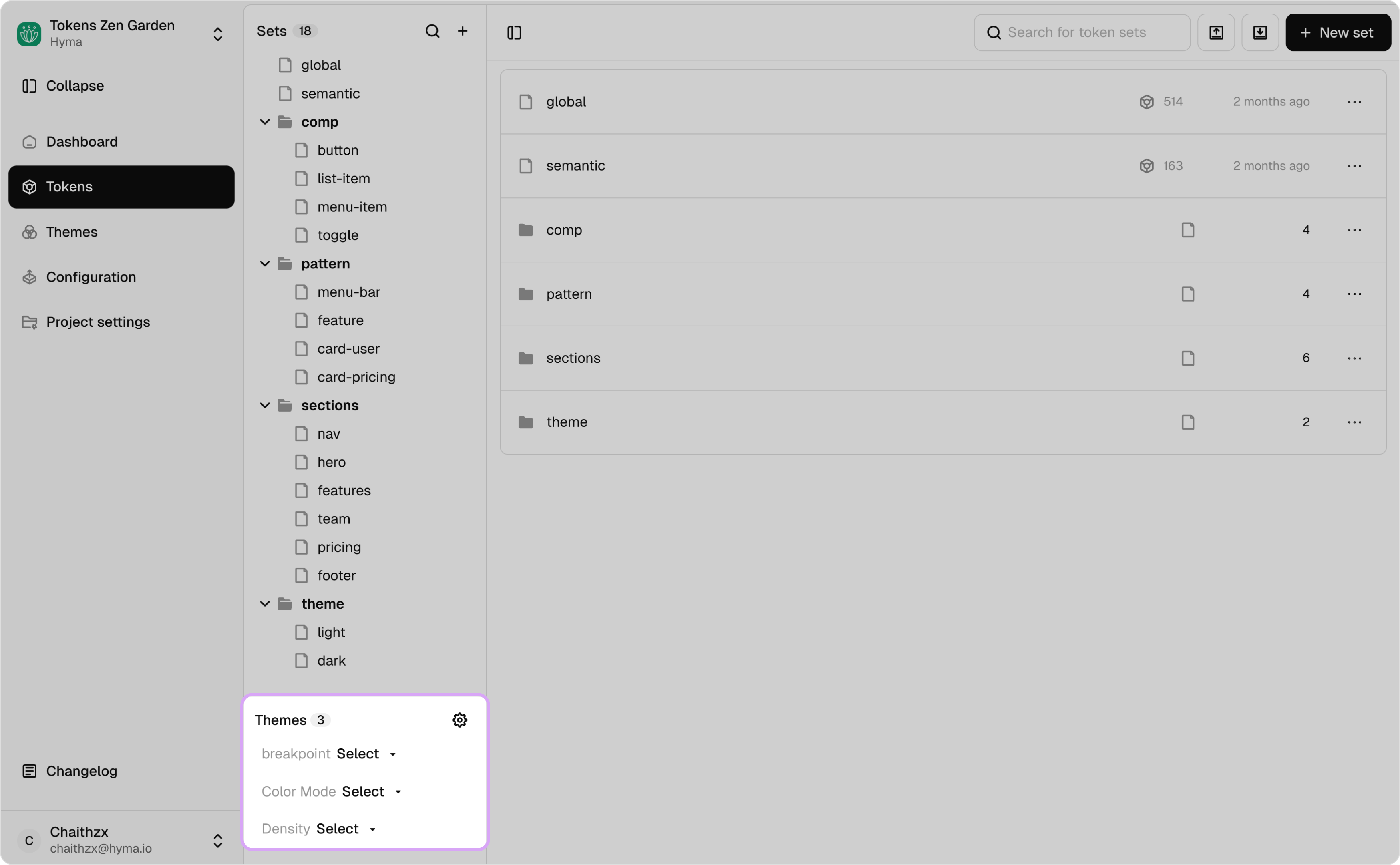
- Once you set up theme groups and theme options, they appear in the Tokens Module.
- Located at the bottom left navigation, you can see:
- Theme Groups (e.g., Brand, Theme)
- Theme Options (e.g., Light, Dark)
Themes in the Configuration Page
- Theme groups are used in the Configuration Page to ensure token resolution functions correctly across themes.s
- When Tokens Studio is linked to the Companion plugin or Tokens Studio for Figma, theme groups translates as Figma Variable collections.
- Theme options translate as Modes in Figma Collections.
How Themes Reflect as Figma Variables
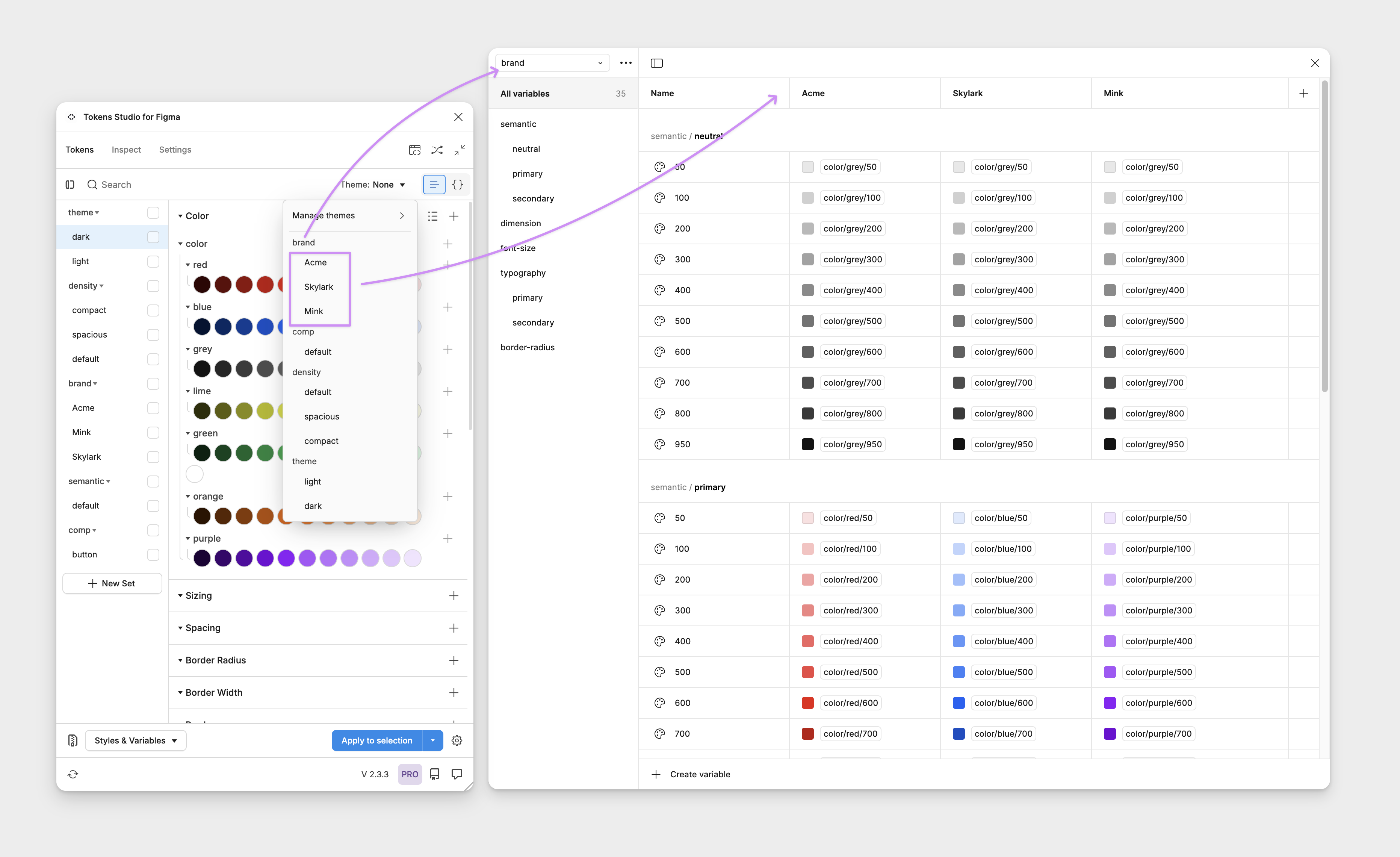
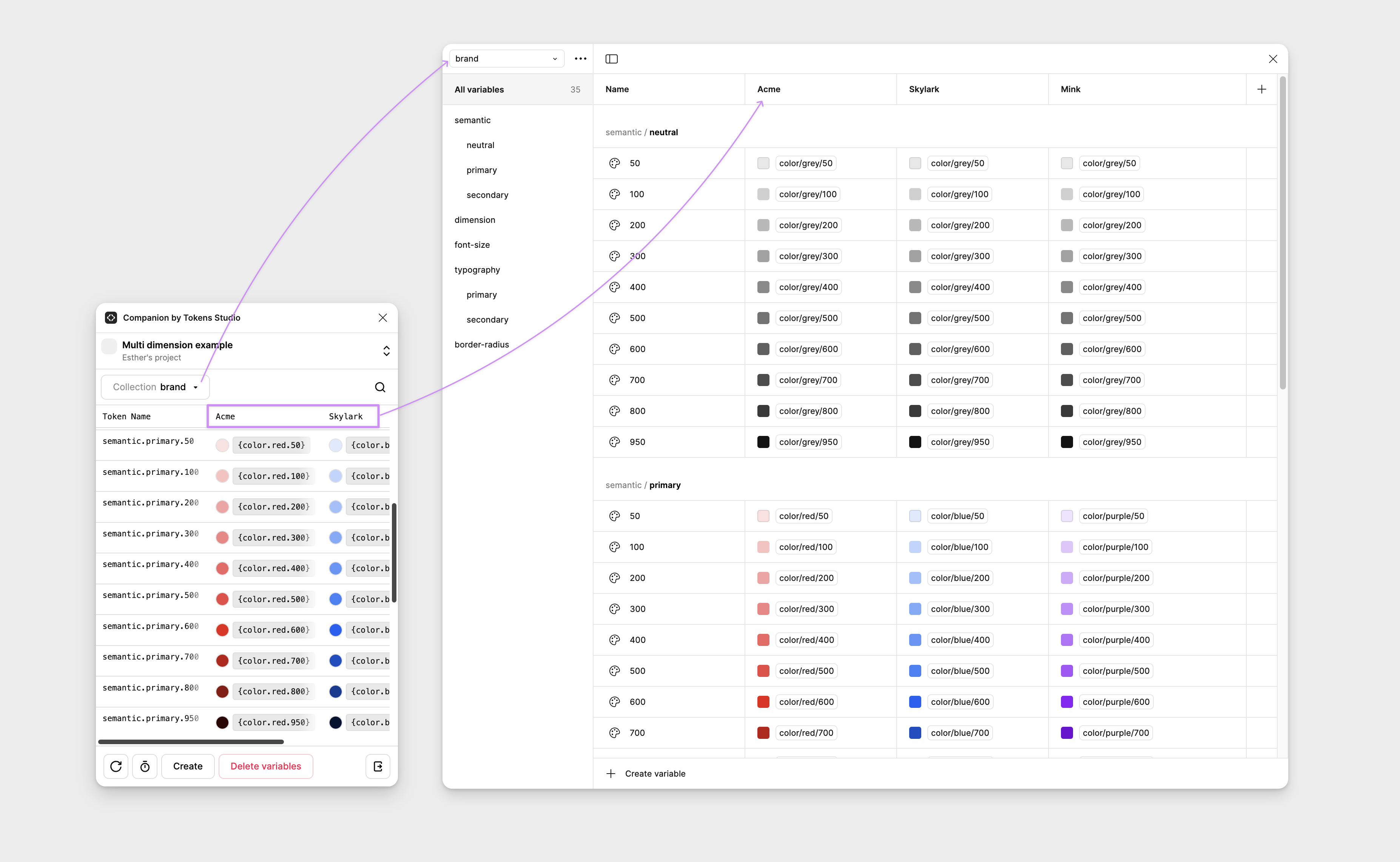
- Once you connect Studio to Figma via Tokens Studio for Figma plugin or Companion by Tokens Studio, you can create Figma variables using your design tokens.
- Theme groups are created as Collections in Figma variables (e.g., Brand, Theme).
- Theme options are created as Modes inside the variable Collection (e.g., Light, Dark).