

Alternating Series
What It Does
Creates a sequence where values alternate according to a repeating pattern. It applies a pattern of multipliers to an input sequence, allowing you to create alternating positive and negative values or other repeating patterns.
Inputs
| Name | Description | Type | Required |
|---|---|---|---|
| sequence | The base sequence of numbers to transform | List | No |
| pattern | The pattern of multipliers to apply cyclically | List | No |
| precision | Number of decimal places to round to | Number | No |
Outputs
| Name | Description | Type |
|---|---|---|
| array | The resulting alternating sequence | List |
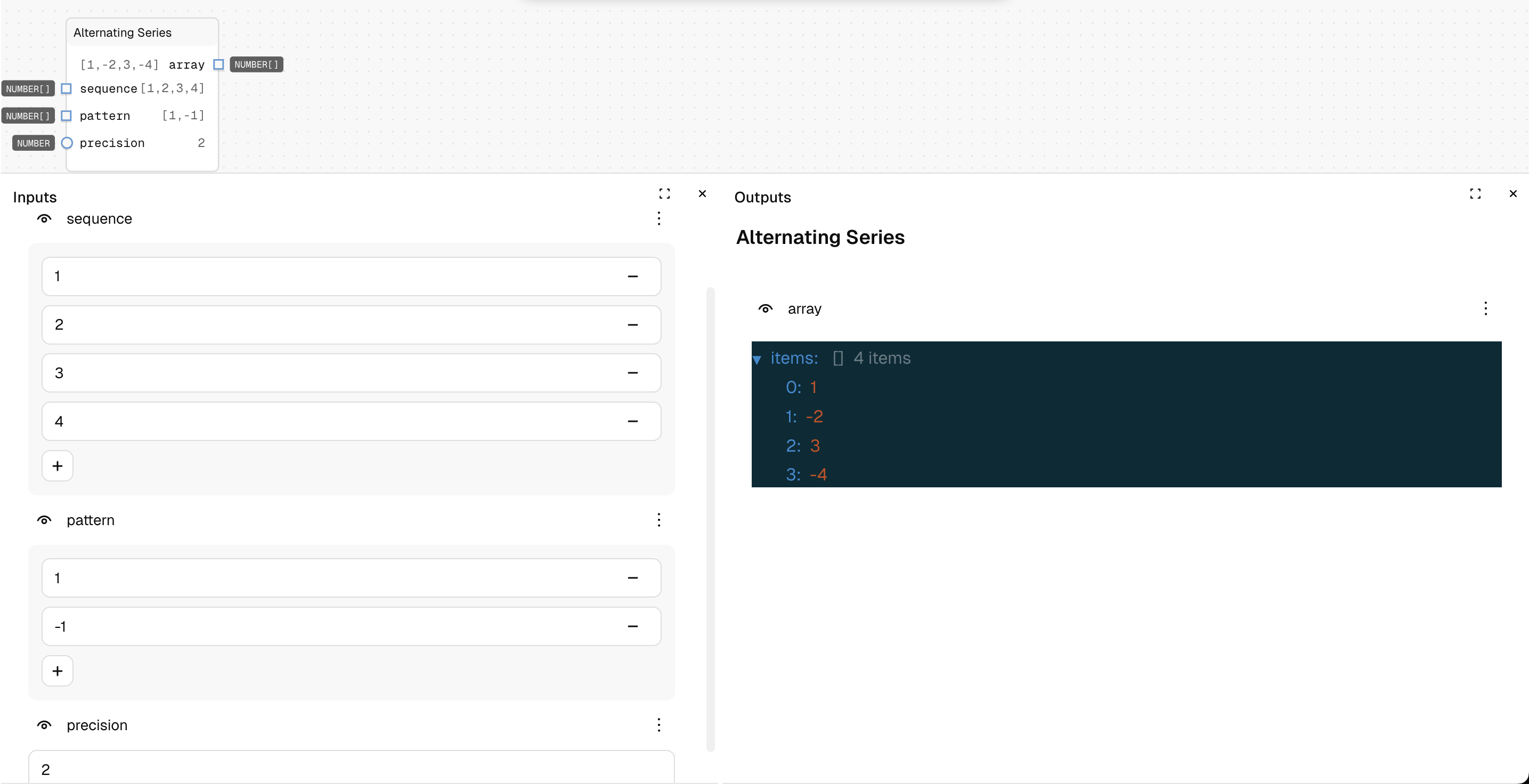
How to Use It
- Drag the Alternating Series node into your graph.
- Set the "sequence" to your base values (default is [1, 2, 3, 4]).
- Set the "pattern" to define how values alternate (default is [1, -1]).
- Set the "precision" for decimal rounding (default is 2).
- Run the graph—with the default settings, your output will be [1, -2, 3, -4].
Tips
- The default pattern [1, -1] creates a classic alternating positive/negative sequence.
- Pattern values are not limited to 1 and -1; you can use any numbers to create custom patterns.
- If the sequence is longer than the pattern, the pattern repeats cyclically.
See Also
- Arithmetic Series: For sequences with constant addition between terms.
- Geometric Series: For sequences with constant multiplication between terms.
- Array Map: For more complex transformations of arrays.
Use Cases
- Zigzag Patterns: Create alternating visual layouts for tiles or elements.
- Oscillating Effects: Generate sequences for wave-like animations or transitions.
- Signal Processing: Create alternating patterns for signal manipulation.
- Checkerboard Layouts: Generate values for grid-based designs with alternating properties.